ALL SOPC Stock Company Wise
Reports->Comparative Analysis->All SOPC Stock Company Wise
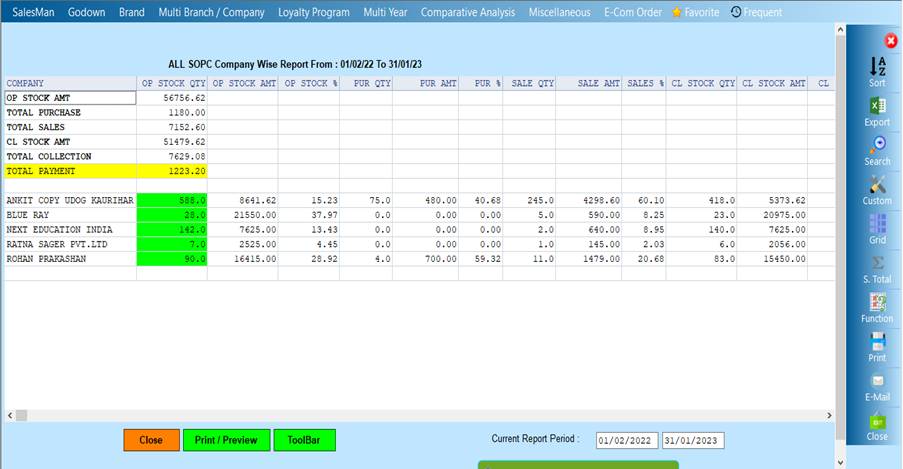
All SOPC Stock Company Wise Report will show the record of the company whose sale and transferout is and if you select the sale and thetransferout according to the
Company name then it will show the report
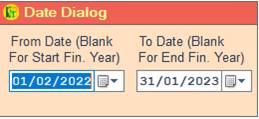
❖ 1.Date Dialog -> Please Select The Date Range And Open The Cusparty
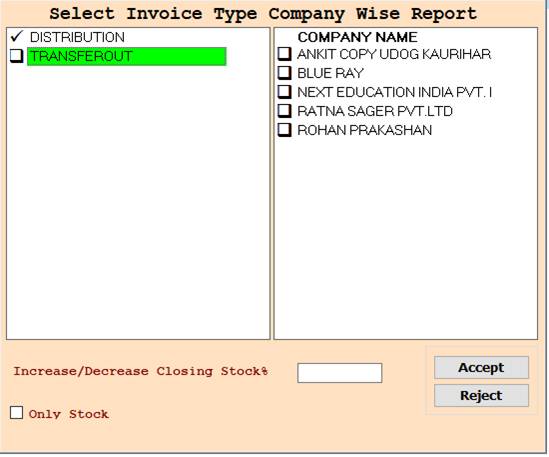
❖ 2.DISTRIBUTION -> Please Select The Distribution Or Company Name Wise Report
❖ 3.DISTRIBUTION -> Please Select The Distribution Or Press On F3 All Select Company Name Wise Report Show
❖ 4.TRANSFEROUT -> Please Select The Transferout Or Company Name Wise Report
❖ 5.TRANSFEROUT -> Please Select The Transferout Or Press On F3 All Select Company Name Wise Report Show
❖ 6.DISTRIBUTION, TRANSFEROUT -> Please Select The Distribution And Transferout Or Company Name Wise Report
❖ 7.DISTRIBUTION, TRANSFEROUT -> Please Select The Distribution And Transferout Or Press On F3 All Select Company Name Wise Report Show
❖ 8. ACCEPT-> Click On The Accept Button Open The Report
❖ 9. REJECT-> Click On The Reject Button Close This Cusparty Box
❖ 10. CLOSE-> Click On the Close Button This Report Will Be Close
❖11. PRINT/PREVIEW->Click On The Print/Preview Buttom Open The Print Section
Created with the Personal Edition of HelpNDoc: Create iPhone web-based documentation