Area Monthly Collection Report
Reports->Multy Year->Area Monthly Collection Report
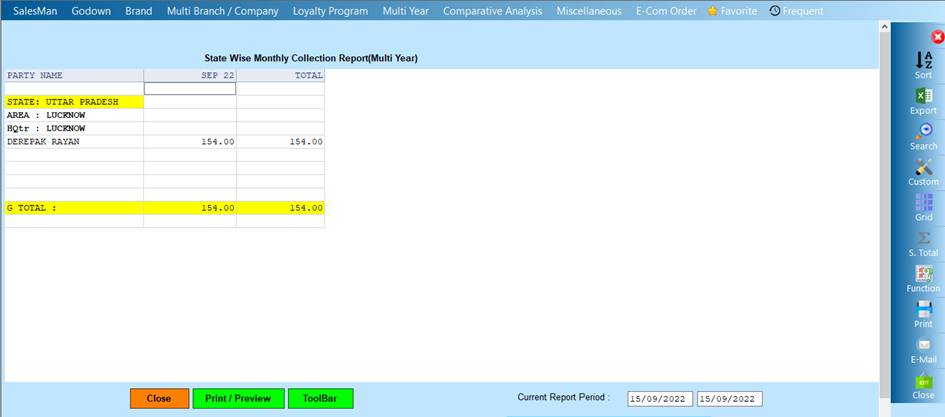
Area Monthly Collection Report will show the records of the person and his monthly collection among the different area of the state
❖ 1.FROM YEAR -> Please Select From Year Or open the date dialogue box
❖ 2. ACCEPT-> Click On The Accept Buttom Open The Date Dialog
❖ 3. REJECT-> Click On The Reject Buttom Close This Cusparty Box
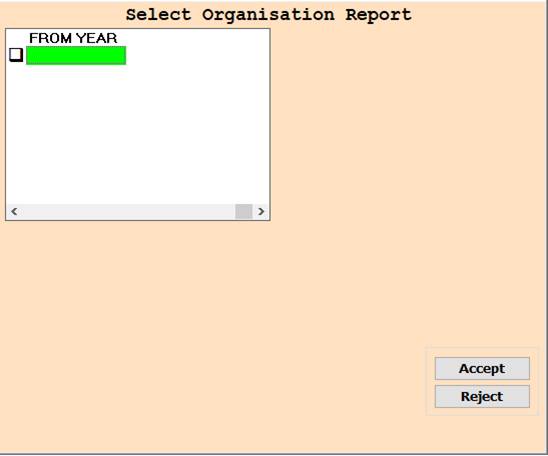
❖ 4.Date Dialog -> Please Select The Date Range And Open The Cusparty

❖ 5.STATE -> Please Select Anyone State Or Report Show
❖ 6.STATE -> Press On F3 All Select State Wise Report Show
❖ 7. ACCEPT-> Click On The Accept Buttom Open The Date Dialog
❖ 8. REJECT-> Click On The Reject Buttom Close This Cusparty Box
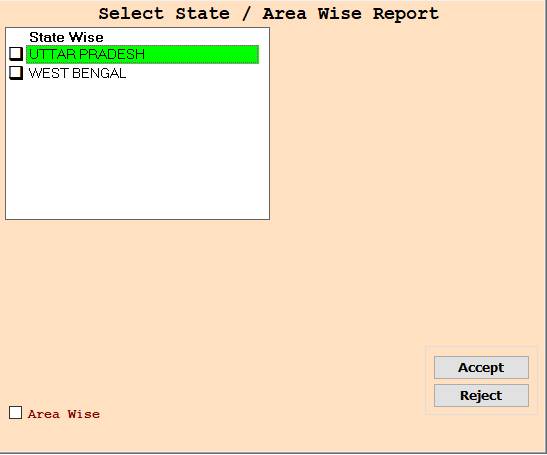
❖ 9. CLOSE-> Click On the Close Button This Report Will Be Close
❖10. PRINT/PREVIEW->Click On The Print/Preview Buttom Open The Print Section
Created with the Personal Edition of HelpNDoc: Add an Extra Layer of Security to Your PDFs with Encryption