Bank Stock Report
PMS ALL Reports -> Production Section -> Reports -> Stock Report -> Bank Stock Report.
1. Date Dialog -> Please Select The Date Range And Open The Cusparty.
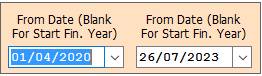
2. In this Window Select The Range According To Your Need for Show Report.
3. Accept :- Click On The Accept Button Open This Report.
4. Close :- Click to cancel the Operation.
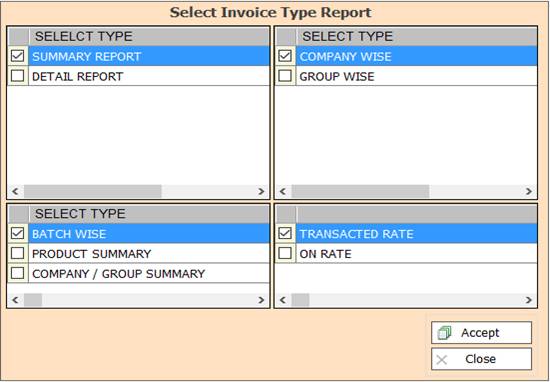
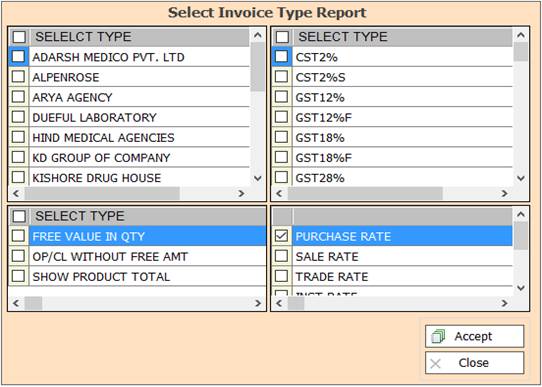
5. In this Window Select The Range According To Your Need for Show Report, Press F3 For All Selection.
6. Accept :- Click On The Accept Button Open This Report.
7. Close :- Click to cancel the Operation.
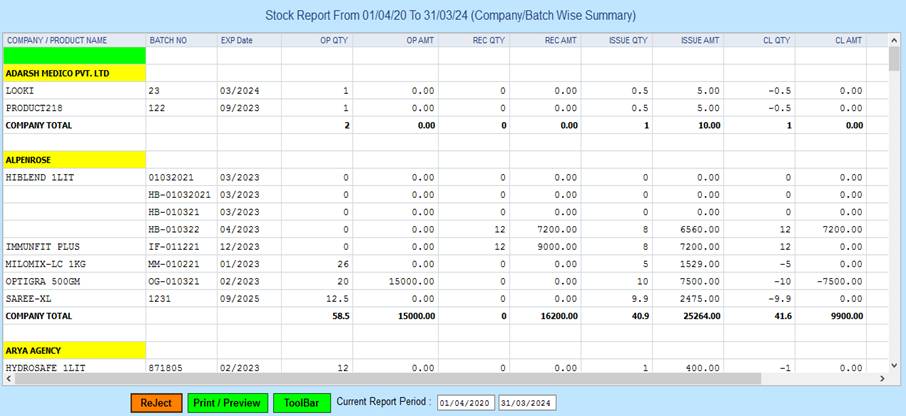
8. Reject :- Click to Close This Page.
9. Print/Preview :- Click to Print.
10. ToolBar :- Click to Open Side Toolbar.
11. Current Report Period :- Show The Report Period Date.
Created with the Personal Edition of HelpNDoc: Don't Let Unauthorized Users View Your PDFs: Learn How to Set Passwords