HQtr/Party/Product Sales Summary M.Year
Reports->Multy Year->HQtr/Party/Product Sale Summary M. Year
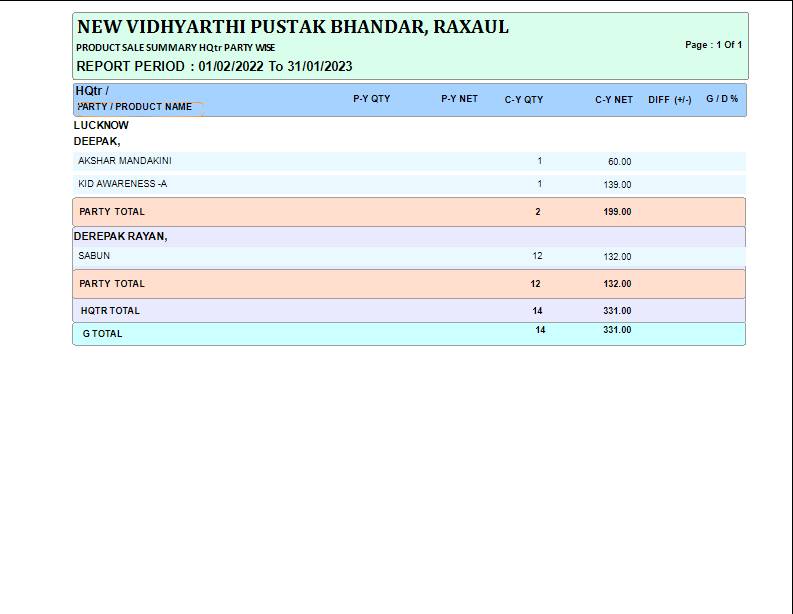
The HQtr/Party/Product Sale Summary M. Year Report will show the record of the salesperson according to Hqtr Part and the product here you have to press
P and then you get a report in print format
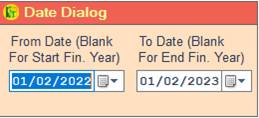
❖ 1.Date Dialog -> Please Select The Date Range And Open The Cusparty
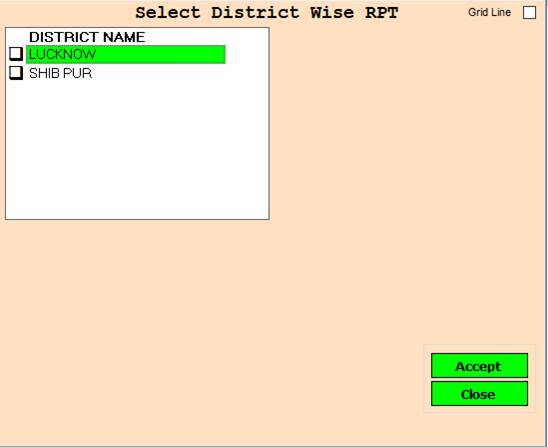
❖ 2.DISTRICT NAME -> Please Select The District Name Or Open The Second Cusparty Box
❖ 3.DISTRICT NAME -> Press On F3 All Select District Name Or Open The Second Cusparty
❖ 4. ACCEPT-> Click On The Accept Button Open The Second Cusparty Box
❖ 5. REJECT-> Click On The Reject Button Close This Cusparty Box
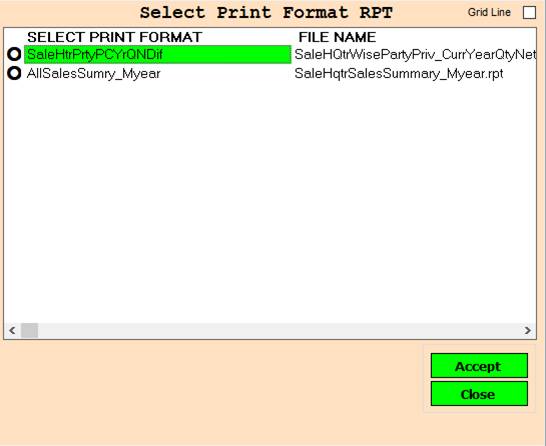
❖ 6.SaleHtrPrtyPCYrQNDif-> Please Select The SaleHtrPrtyPCYrQNDif Or Report Show
❖ 7.AllSalesSumry_Myear-> Please Select The AllSalesSumry_Myear Or Report Show
❖ 8. ACCEPT-> Click On The Accept Button Open The Second Cusparty Box
❖ 9. REJECT-> Click On The Reject Button Close This Cusparty Box
Created with the Personal Edition of HelpNDoc: Produce Kindle eBooks easily