Intimation Slip
Reports>Production Section>Mfg Entry>Analysis Entry>Q C Dept->Intimation Slip
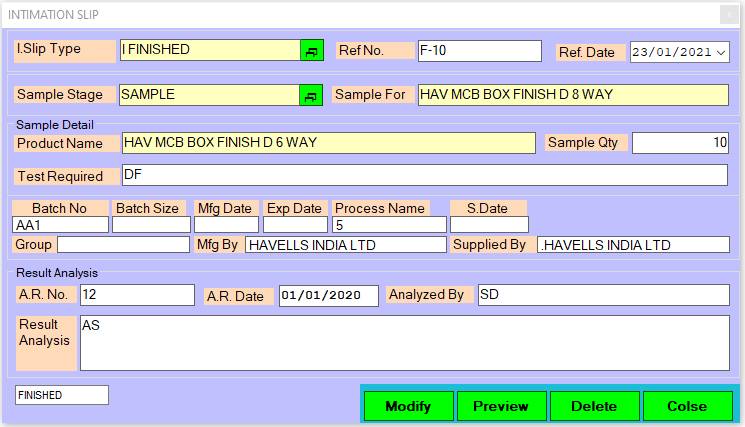
1. I.slip Type .: Please Enter or double click to open the selection I.slip Type list.
• Press ‘Enter’ OR ‘Double Click’ To Open List For Selection I.slip Type Name.
2. Ref No: This is auto generated No. of Ref No.
• Serial No.(Numerical Only) Press - F2: Existing Records, Insert: New Record, Pg Down: Next Record, Pg Up: Previous Record.
3. Sample Stage.: Please Enter or double click to open the selection Sample Stage.
• Press ‘Enter’ OR ‘Double Click’ To Open List For Selection Sample Stage.
4. Sample Qty: Please Enter The Sample Qty.
5. Modify: Click on Modify button this records save.
• Press Alt+A/M To Accept /Modify.
6. Delete: Clicking on the delete button this records will be delete.
• Press Alt+D To Delete.
7. Close: Clicking on the Close button this form will be closed.
• Press Alt+C To Close.
Created with the Personal Edition of HelpNDoc: Effortlessly Publish Your Word Document as an eBook