Monthly ASM Wise Product Wise
Reports-> Territory/Management Reports ->Management Comparative->Target Report ->Monthly ASM Wise Product Wise
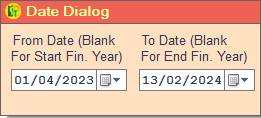
1. Date Dialog -> Please Select The Date Range And Open The Cusparty.
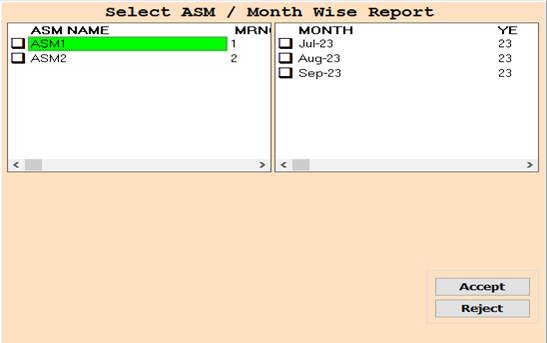
2. In this Window Select ASM Name/Month According To Your Need for Show Report, Select Any One or Multiple
And Press F3 For All Selection, if You not Select Any One then All Selected By Default.
3. Accept :- Click On The Accept Button Open This Report.
4. Reject :- Click to cancel the Operation.
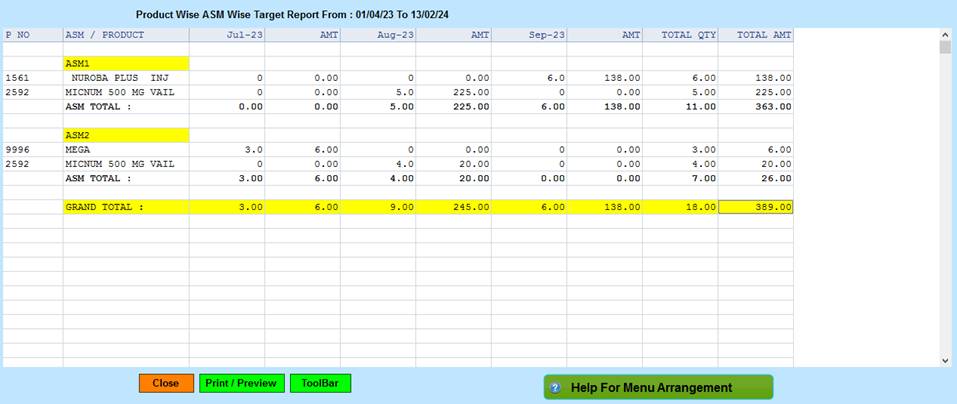
5. Close :- Click on the Close button this Report will be Closed.
6. Print/Preview :- Click On The Print/Preview Button Open The Print Section.
7. ToolBar :- Click to Open Tool Box.
Created with the Personal Edition of HelpNDoc: Easy EBook and documentation generator