Party Wise
Report->Miscellaneous->Master Report-> Party Wise
This report will show the record of the party whose sale and transfer out is and if anyone try to see the report according to the party wise , head quarter wise or area wise then it wil show the report
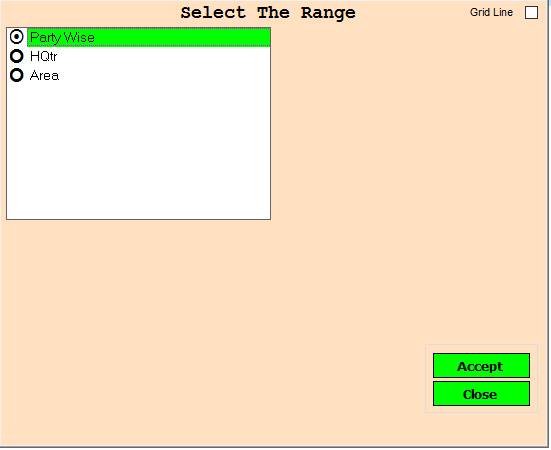
❖ 1.Party Wise ->Please Select The Party Wise Or Open The Date Dialog Box
❖ 2.HQtr ->Please Select The HQtr Or Open The Date Dialog Box
❖ 3.Area ->Please Select The Area Or Open The Date Dialog Box
❖ 4.Accept ->Click This Accept button Open The Date Dialog Box
❖ 5.Reject ->Click On The Reject Button Close This Cusparty Box
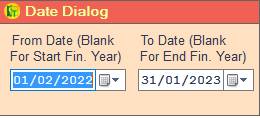
❖ 6.Date Dialog ->Please Select The Date Range And Open The Cusparty
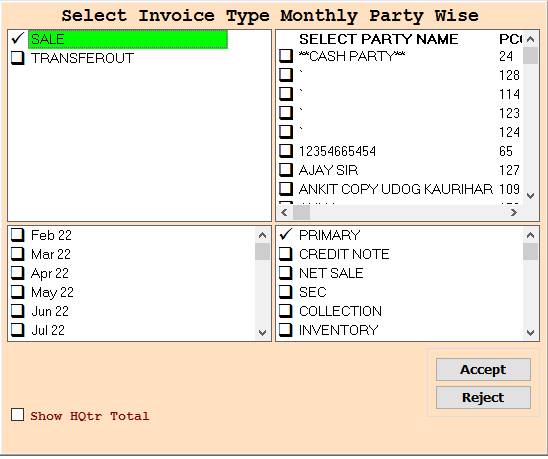
❖ 7.SALE ->Please Select The Sale Or Select Party Name Wise Report Show
❖ 8.SALE -> Please Select The Sale Or Press On F3 All Select Party Name Wise Report Show
❖ 9.TRANSFEROUT ->Please Select The Transferout Or Select Party Name Wise Report Show
❖ 10.TRANSFEROUT -> Please Select The Sale Or Press On F3 All Select Party Name Wise Report Show
❖ 11.Accept ->Click This Accept button Open The Report
❖ 12.Reject ->Click On The Reject Button Close This Cusparty Box
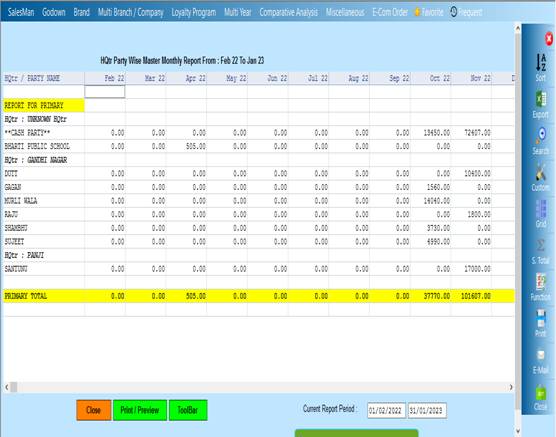
❖ 13. Close-> Clicking on the Close button this Report will be close
❖ 14. Print/Preview->Click On The Print/Preview Buttom Open The Print Section
Created with the Personal Edition of HelpNDoc: Enhance Your Documentation with HelpNDoc's Advanced Project Analyzer