Delivery Challan Wise
Reports->Salesman->Delivery Challan Wise
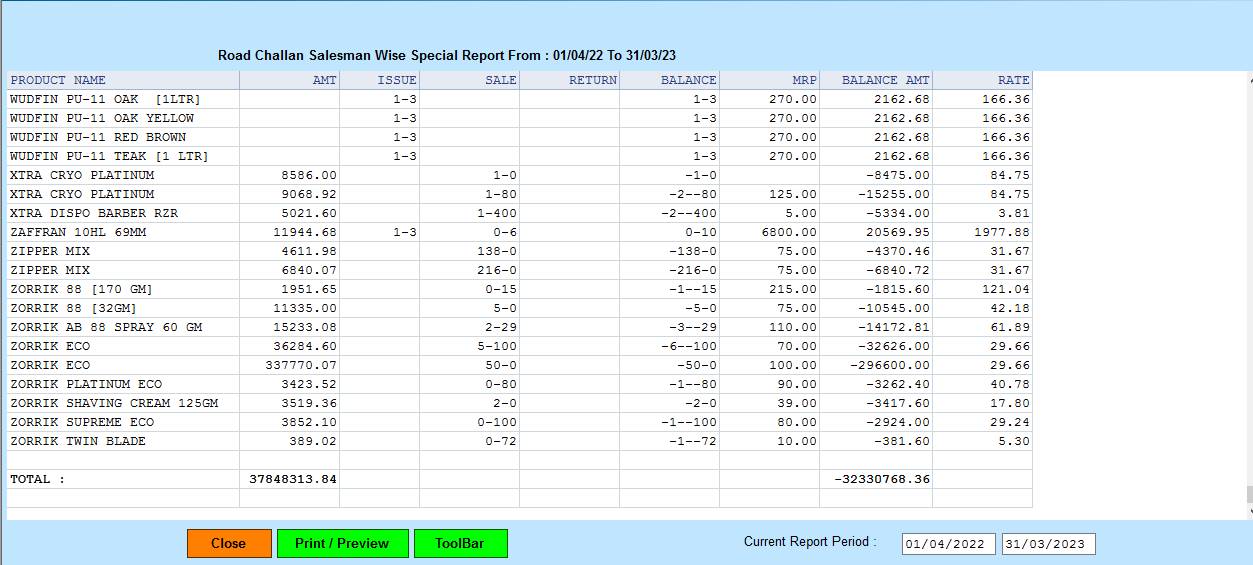
The Delivery Challan Wise Report will show the The records of the person whose Sales Return or Use Case is and whoever wants to see it(Order Challan Wise ,All Data Wise)
whatever you select,Then you will go to the second cusparty box and here if you select the sale or transferout withrespect to the different type of rate then it will show the report
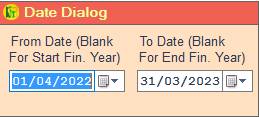
❖ 1.Date Dialog ->Please Select The Date Range And Open The Cusparty
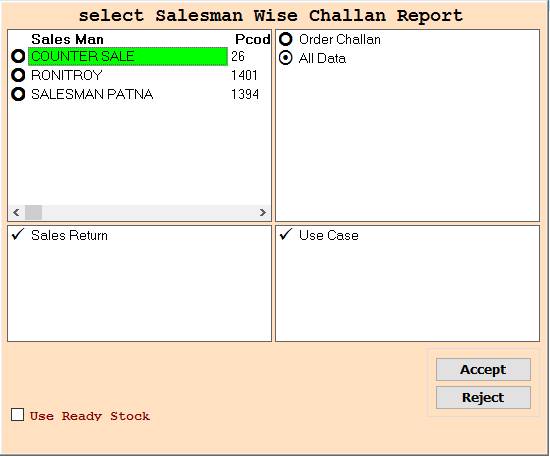
❖ 2.Sales Man ->Please Select The Anyone Sales Man Or Order Wise Report Show
❖ 3.Sales Man ->Press On F3 All Select Sales Man Order Challan Wise Report Show
❖ 4.Sales Man ->Please Select The Anyone Sales Man Or All Data Wise Report Show
❖ 5.Sales Man -> Press On F3 All Select Sales Man All Data Wise Report Show
❖ 6.Sales Return->Please Select the Sales Return Or Order Challan Wise Report Show
❖ 7.Sales Return ->Please Not Select the Sales Return Or All Data Wise Report Show
❖ 8.Use Case-> Please Select the Use Case Or Order Challan Wise Report Show
❖ 9.Use Case-> Please Select the Use Case Or All Data Wise Report Show
❖ 10. Accept-> Click On The Accept Buttom Open This Second Cusparty Box
❖ 11. Reject-> Click On The Reject Buttom Close This Cusparty Box
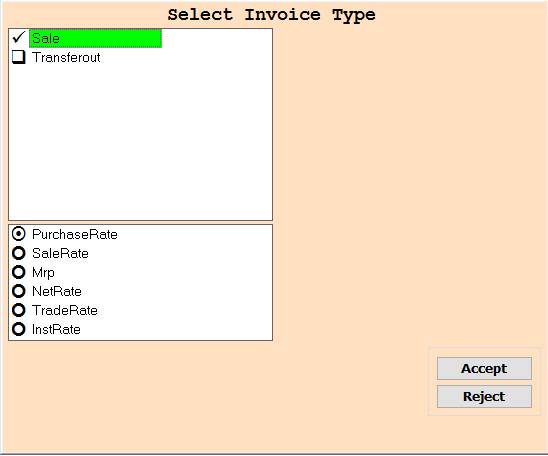
❖ 12.Sales ->Please Select the Sales Or Purchase Rate Wise Report Show
❖ 13.Sales -> Please Select the Sales Or Sale Rate Wise Report Show
❖ 14.Sales -> Please Select the Sales Or Mrp Wise Report Show
❖ 15.Sales -> Please Select the Sales Or NetRate Wise Report Show
❖ 16.Sales -> Please Select the Sales Or InstRate Wise Report Show
❖ 17.Transferout ->Please Select the Transferout Or PurchaseRate Wise Report Show
❖ 18. Transferout -> Please Select the Transferout Or SaleRate Wise Report Show
❖ 19. Transferout -> Please Select the Transferout Or Mrp Wise Report Show
❖ 20. Transferout -> Please Select the Transferout Or NetRate Wise Report Show
❖ 21. Transferout -> Please Select the Transferout Or InstRate Wise Report Show
❖ 22.Sales & Transferout ->Please Select Sale Or Transferout Or Anyone Rate (PurchaseRate,SaleRate,Mrp,NetRate,TradeRate,InstRate) Wise Report Show
❖ 23. Accept-> Click On The Accept Buttom Open The Second Cusparty
❖ 24. Reject-> Click On The Reject Buttom Close This Cusparty Box
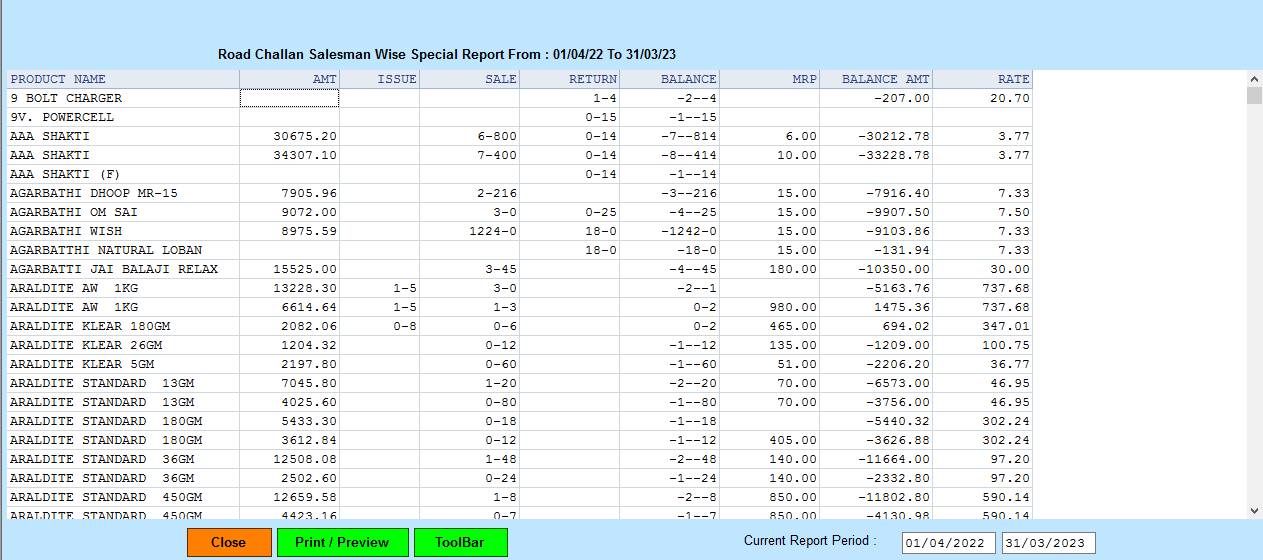
❖⬝ 25. Close-> Clicking on the Close button this Report will be close
❖⬝ 26. Print/Preview->Click On The Print/Preview Buttom Open The Print Section
Created with the Personal Edition of HelpNDoc: Converting Word Docs to eBooks Made Easy with HelpNDoc