Release Order
Reports>Production Section>Mfg Entry>Analysis Entry>Release Order
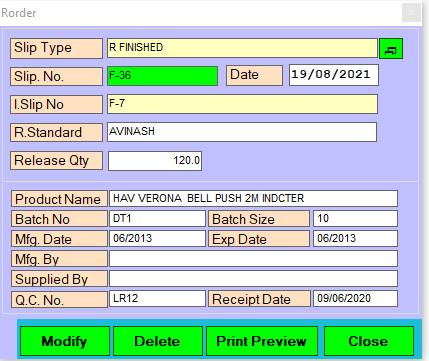
1. Slip Type: Please Enter Double Click open the Release Order list.
2. Slip.No: This is auto generated No. of Equipment Details.
Slip>No (Ex: Type, Release Order), (No Duplicate) & Press F2 To See Previous Data.
3. Date.: Please Enter the Date.
4. I.Slip No: Please Enter Double Click open the I.Slip No list.
5. Ok: Click on the Ok button add to this product.
6. Release Qty: Please Enter The Release Qty.
7. Modify: Click on Modify button this records save.
Press Alt+A/M To Accept/Modify
8 . Preview: Click on Modify button this records save.
Press Alt+P To Print Preview & Save.
9. Delete: Clicking on the delete button this records will be delete.
Press Alt+D To Delete.
10. Close: Clicking on the Close button this form will be closed.
Press Alt+C To Close This Form
Created with the Personal Edition of HelpNDoc: Free HTML Help documentation generator